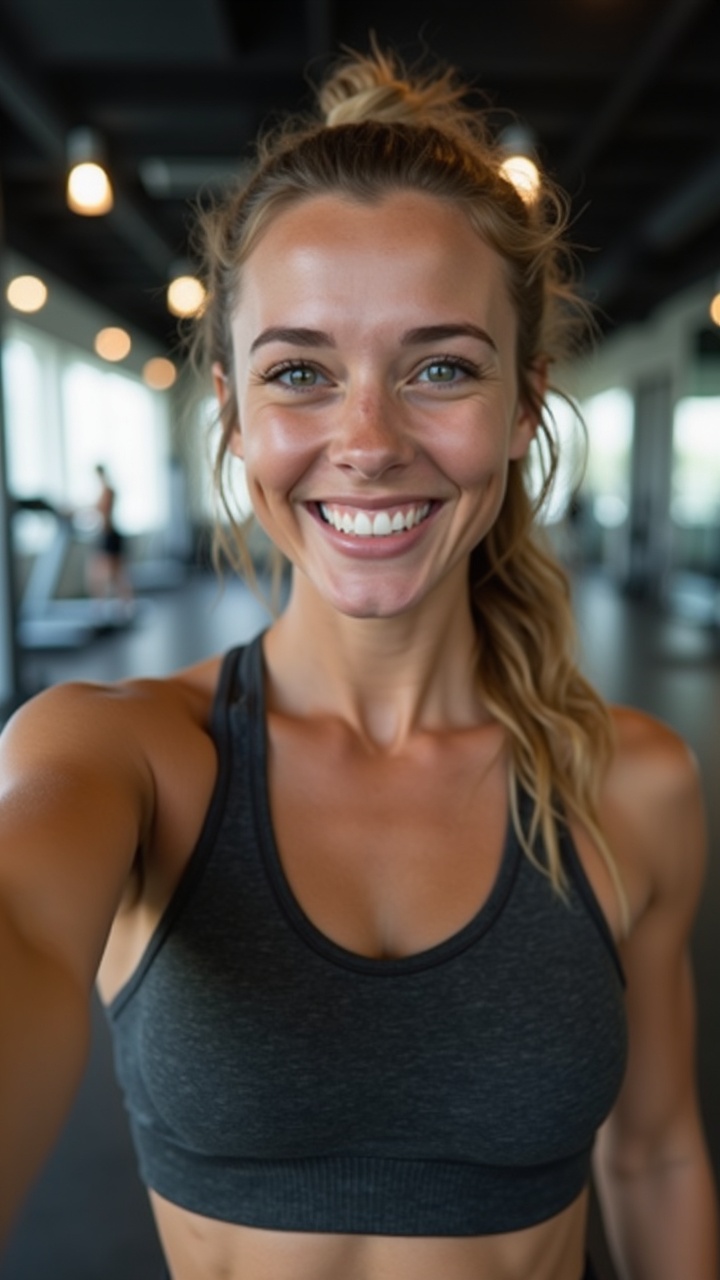
An AI influencer is a face people learn to recognise. If that face changes from one post to the next, the account stops feeling like a person and starts feeling like a slideshow of strangers. Followers don't connect the posts, comments dry up, and brands notice.
Face consistency is the single most important quality bar for an AI influencer. This guide explains why it matters, what makes faces drift, and a practical workflow to keep one face stable across photos, carousels and video.
Same face, different days: that's what makes a character believable.
Why consistency matters so much
Think about how you recognise a creator you follow. You don't read their handle first; you see their face in the feed and know who it is before the caption loads. That instant recognition is what builds a habit, and habits are what grow an account.
When the face drifts, three things go wrong:
Recognition breaks. Every post has to introduce the character again. People who liked last week's post don't realise this is the same person.
Trust drops. Viewers are good at noticing faces. A jawline that changes or eyes that shift colour make the whole account feel fake, even when every post is clearly labelled as AI.
Partners hesitate. A brand considering a sponsorship wants to know who it's working with. An inconsistent character looks like an unfinished project.
The good news is that the reverse is also true. A face that stays the same across hundreds of posts becomes an asset: the more people see it, the more familiar it gets.
Over nine days, our review step made 672 checks of AI-generated frames for 124 posts and turned down more than half. The surprise: bad hands were rare. Most frames failed because they didn't show what the post needed.
Image models don't remember people. Each generation starts from noise and a prompt, so even a very detailed description of a face produces a slightly different person every time. Common causes of drift:
Text-only prompts. Words like "green eyes, freckles, wavy brown hair" describe millions of faces. The model picks a new one each time.
Big scene changes. A new angle, lighting setup or expression pushes the model to reinvent the face. Profile shots and wide shots drift the most.
Styling changes. New hair, heavy makeup, hats or glasses can pull the face along with them.
Video. Motion adds a new problem: the face can change within a single clip as the head turns, especially in longer shots.
Edits on edits. Re-editing an already edited image compounds small changes until the person is no longer the same.
The four ways to keep a face consistent
There's no single trick. In practice, consistent characters come from combining a few of these.
1. A reference image (or several)
The most reliable approach today is to give the model a picture of the face, not just a description. Many current image models accept reference images and can place the same person into a new scene. Start every generation from your best reference portrait rather than from the last post, so errors don't accumulate.
2. A character sheet
A character sheet is a set of images of the same face from several angles and with a few expressions: front, three-quarter, profile, smiling, neutral. It gives you better references for difficult shots and a clear standard to check against. If you only have a front-facing portrait, side angles are where drift will start.
3. A trained model
Some creators train a small custom model, often called a LoRA, on a set of images of their character. It can produce a recognisable face from text alone, but it needs a good, consistent training set, takes time to make, and has to be redone if you change the look. For most people, reference images get similar results with far less setup.
4. Checking every image
Whatever method you use, some generations will miss. The difference between consistent accounts and inconsistent ones is usually not the generator; it's the review step. Compare every new image with the reference face before it's posted, and throw away the ones that don't match. Face recognition models can score how similar two faces are, which makes this check much faster than eyeballing a grid.
One reference portrait, checked against every new image.
A practical workflow
Here's a simple process that works with most tools:
Write the identity first. Name, age range, where they live, their style. Our guide on how to create an AI influencer walks through it.
Generate candidates and pick one face. Make a handful of portraits, choose the one that fits the character best, and treat it as the anchor from now on.
Build a character sheet from that anchor: a few angles and expressions, all checked against it.
Write down what never changes. Eye colour, face shape, skin tone, distinctive marks like freckles or a scar, hair colour and length. Keep it short and specific.
Generate from references, not from memory. Use the anchor or a matching sheet image every time. Our prompt templates show how to describe the scene without fighting the reference.
Check before posting. Every image is compared with the anchor. If it doesn't match, regenerate.
For video, start from a checked image. Generate a still that passes the face check, then animate it. Keep clips short and avoid big head turns, which is where faces change most. See how to make a talking AI influencer video for the rest of the video workflow.
What can change, and what shouldn't
Consistency doesn't mean every post looks the same. A real person changes outfits, hairstyles, locations and moods. What stays constant is the person underneath.
Let it vary: clothing, makeup within the character's style, hair styling, lighting, location, expression, camera angle.
A useful test before posting: would a returning follower believe this is the same person as last week, without reading the caption? If you hesitate, regenerate.
Compare against the anchor, not against the last post.
Common mistakes
Using the latest post as the next reference. Small errors stack. Always go back to the anchor.
Changing the look too often. A dramatic new hair colour every month makes recognition harder. Change slowly, like a real person would.
Too many close-ups. Ironically, a feed of only close-up portraits looks less real. Mix in wider shots, but check them carefully because they drift more.
Ignoring hands, teeth and accessories. A signature necklace or earring that keeps changing breaks the illusion as much as a face does.
In Influgen, you pick each influencer's face once, and it becomes the anchor for everything they make. The influencer gets a continuity sheet of angles and expressions built from that face. Every new image is generated from those references and checked against the influencer's face and for realism before it reaches you, and images that don't match are made again. Videos start from a checked image, so the face in a reel matches the face in the feed.
You can see examples by niche, from fashion to fitness and travel, or compare approaches in Influgen vs Higgsfield. Plans are on the pricing page, and Influgen is opening in waves: create your influencer for free now, and their team starts when your spot opens. The first 1,000 accounts get 100 extra credits.
Most disappointing UGC videos start with a weak brief: a product link and 'make something fun'. Here's a one-page brief template for product videos, field by field, with what to include, what to leave to the creator, and the rules to put in writing.
A good AI UGC ad is decided before anything is generated: in about 60 words of script. Here is the five-beat structure our AI influencers' producer writes to, how many words fit in 20 to 30 seconds, and the mistakes that make a script sound like an ad.